

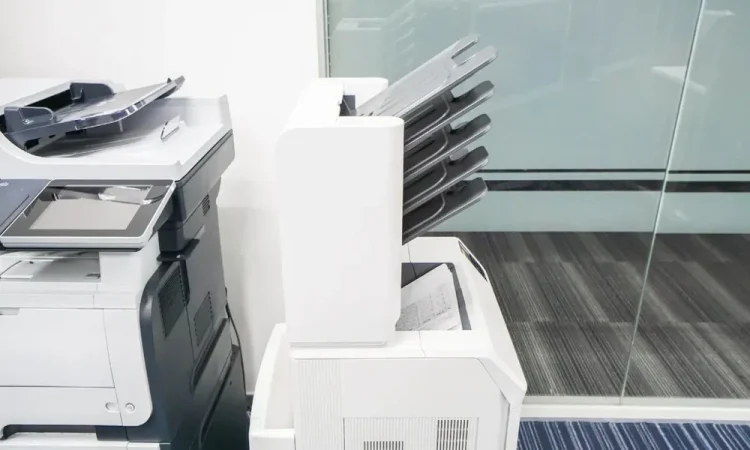
A mid-sized insurance office in Ohio replaced forty-two laser printers over one summer. Eighteen months later, twenty-nine of those same models sat idle in storage closets, and the company had spent six figures to fix a problem that was never about the hardware. I’ve watched variations of that story play out at dealerships, hospital systems, and county courthouses. The buying spree felt decisive. It solved nothing.
What actually worked, every time, was less dramatic: figuring out what printers you already own, where they live, and who’s allowed to buy more. That’s the whole game. Standardizing means picking a small set of approved models, tracking every device you’ve got, and making sure supplies and repairs route through one channel instead of forty. Companies that do this usually cut print-related spending without touching the equipment budget at all. The savings come from the mess, not the machines.
If your procurement team is buying toner from four vendors and your IT tickets include the phrase “the printer on the third floor again,” you’ve got a fleet problem, not a printer problem. Dedicated print fleet management services exist for exactly this scenario, and they’re worth understanding before you sign another equipment lease. The rest of this piece explains how standardization actually works, where the money hides, and what to do first.
What standardization actually means (and what it doesn’t)
Standardization isn’t buying the same printer for every department. That’s a misconception I run into constantly, usually from someone who just got a quote for two hundred identical units. People assume consistency means sameness. It doesn’t.
A real standardized fleet has two or three approved models per use case: a workgroup machine for high-volume floors, a compact unit for individual offices, and maybe one wide-format device for the marketing team. Everything else gets phased out as it dies, not ripped out overnight. You’re setting guardrails, not staging a raid.
The reason this works comes down to spare parts and staff knowledge. When your IT team supports two printer models instead of eleven, they learn the quirks. They keep the right fusers on the shelf. They know which driver breaks after a Windows update. That tribal knowledge is worth more than any volume discount.
Where the money actually hides
Hardware is the visible cost, and it’s rarely the biggest one. The real bleeding happens in three places most finance teams never separate out:
- Supplies bought off-contract. Someone orders a compatible toner cartridge from a random reseller, it fails, and now you’re paying a technician to clean the drum.
- Duplicate devices. Two departments on the same floor each bought a printer because neither knew the other had one.
- Idle machines still under service contract. You’re paying monthly for a device that hasn’t printed a page since the pandemic.
Federal agencies have wrestled with this for years. According to the General Services Administration, tracking and consolidating office equipment is a standing priority across government because unmanaged devices quietly drain budgets long after purchase. The private sector version of that problem is identical, just with fewer forms.
Run the numbers on your own site. Pull your last twelve months of supply orders, count distinct printer models, and match that list against your service contracts. I’d bet real money you find at least one contract covering a device that’s been unplugged for a year.
Energy costs are the sleeper expense
Nobody thinks about printer power draw until the utility bill shows up. Older laser printers idle at surprisingly high wattage, and a floor with fifteen of them running all day adds up. Newer ENERGY STAR certified models cut that standby draw significantly, and the Department of Energy maintains the standards behind that certification. If you’re deciding which models make your approved list, efficiency ratings belong in the criteria alongside price per page.
Here’s the contrarian part: replacing every printer for efficiency alone rarely pays back fast enough. Replacing the ten worst offenders while letting the rest age out does. That’s the pace I’d pick, and it’s the one most facilities managers end up at after the first audit.
A starting framework: the Three-List Audit
I call this the Three-List Audit because that’s literally what it is. Three lists, one afternoon, no consultants required.
List one: every device. Walk the building. Write down model number, location, and approximate age. Include the closet units people forgot about. This takes longer than you think.
List two: every supply order. Twelve months of toner, ink, and maintenance kit purchases, with vendor names. You’re looking for pattern breaks, the one-off orders that signal shadow purchasing.
List three: every contract. Service agreements, leases, and managed print deals, matched against list one. Anything paying for a device that isn’t on the walk-through gets flagged immediately.
Then compare. The gaps between the lists are your action items, and they’re usually obvious: contracts to cancel, vendors to consolidate, two departments to introduce to each other.
Security is the argument that wins budget approval
Cost savings get polite nods. Security gets signatures. Printers are network devices with firmware, credentials, and stored documents, and they’re chronically under-patched because nobody owns them. The National Institute of Standards and Technology publishes guidance on securing network-connected devices, and printers belong in that conversation whether your IT team likes it or not.
A standardized fleet makes patching possible. When you know every model on your network, you can track firmware updates, disable unused protocols like FTP, and set consistent retention policies for scanned documents. Try doing that across eleven models from six manufacturers with no inventory. You can’t, and that’s the honest answer to give your leadership team.
What to do Monday morning
Start with list one. Just the walk-through. Don’t build a spreadsheet template, don’t schedule a committee meeting, don’t write a policy document yet. Walk the building and count.
Then pick your two approved models, one workgroup and one personal, and tell procurement they’re the only options for new purchases going forward. Existing devices keep running until they fail. Announce it in a short email, not a fifty-page strategy deck.
The insurance office from the opening? They eventually did this. Took them one fiscal quarter to identify nineteen idle devices under contract, cancel those agreements, and consolidate four toner vendors into one. No dramatic rollout, no six-figure purchase order. Just a walk-through and three lists.
Your fleet is probably messier than you think, and that messiness is costing you every month it stays unexamined. So here’s the question worth answering today: do you actually know how many printers your organization owns right now? If the answer is a guess, you’ve just found your starting point.